


Before Your Device Is Lost: The Security Settings You Must Check
 Editor-in-Chief of indiacommentary.com. Current Affairs analyst and political commentator. Author of Cyber Scams in India, Digital Arrest, The Money Trap and The Human Hack
View all posts by this Author
Editor-in-Chief of indiacommentary.com. Current Affairs analyst and political commentator. Author of Cyber Scams in India, Digital Arrest, The Money Trap and The Human Hack
View all posts by this Author
By Sunil Garodia
First publised on 2026-10-31 13:57:06
About the Author
Editor-in-Chief of indiacommentary.com. Current Affairs analyst and political commentator. Author of Cyber Scams in India, Digital Arrest, The Money Trap and The Human Hack
View all posts by this Author
Remote locking, strong authentication and secure backups can make the difference between a lost device and a digital disaster.
Most people think about securing their phone or laptop only after something goes wrong. By then, it may be too late to activate the protections that could have limited the damage.
The sensible approach is to prepare while the device is still in your possession. A few minutes spent checking security settings can save hours of account recovery and may prevent serious financial or privacy losses.
The following precautions apply to ordinary users, not just technology professionals.
Secure Your Screen: A screen lock is the first barrier between a stranger and the information on your device. A weak PIN, a predictable password or a passcode that someone has watched you enter can undermine that protection. Use a strong PIN or password that cannot easily be guessed. Enable fingerprint or facial recognition where available, and configure the screen to lock automatically after a short period of inactivity. Hide sensitive message previews and verification codes from the lock screen. Biometrics add convenience, but they do not eliminate the need for a strong passcode.
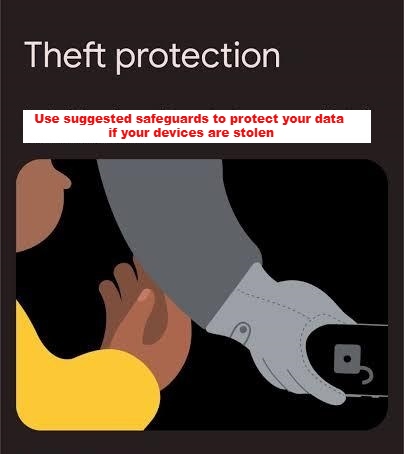
Locate and Lock Your Phone: If your phone disappears, you need a way to locate it or prevent someone else from using it. These facilities must generally be configured in advance. Android users should check Google's Find Hub, confirm that their device appears and learn how to locate or secure it from another device. Enable supported theft-protection features, such as Theft Detection Lock and Offline Device Lock, where available.
Google Find Hub: https://www.google.com/android/find/about
iPhone users should enable Find My and learn how to activate Lost Mode. Find My also enables Activation Lock, which helps prevent unauthorised reactivation of the device. They should also check Apple's Stolen Device Protection, which adds safeguards for sensitive actions on supported devices. The available options depend on the device and software version. Do not assume that a feature is enabled simply because it is available. Check the actual settings and test your ability to access the service from another device.
Apple Stolen Device Protection: https://support.apple.com/en-in/120837
Secure Your Accounts: Your primary email account deserves particular attention because it may be used to recover access to other services. Use a strong, unique password and enable two-factor authentication. Where practical, use an authenticator app, passkey or security key rather than relying exclusively on SMS codes. Check whether the account's recovery email and phone number are current, whether unfamiliar devices are signed in, and whether backup codes are available and stored securely elsewhere. Most importantly, establish whether you can recover the account without access to the missing phone. Never keep all your recovery information exclusively on the device it is intended to protect.
Protect Financial and Messaging Apps: Banking and UPI applications use different combinations of authentication and security controls. Understand the protections provided by your bank or payment service, avoid sharing PINs or credentials, and know how to contact the provider to restrict access if your phone is stolen. WhatsApp deserves separate attention. Enable two-step verification, add a recovery email where available, and inspect linked devices periodically. Remove devices you do not recognise. Two-step verification reduces the risk of unauthorised account registration, but it does not prevent every possible attack. A fraudster may still attempt to trick you into disclosing a verification code. Remember that blocking your SIM does not automatically erase the phone or terminate every session already active on it.
Secure Your Laptop: A laptop may contain years of correspondence, financial information and confidential documents. A login password alone is not a substitute for storage encryption. Windows users should check whether Device Encryption or BitLocker is available and enabled. If encryption is active, make sure the recovery key is stored securely somewhere other than the laptop itself. Microsoft's guidance explains the feature and its availability.
Microsoft Device Encryption guidance: https://support.microsoft.com/windows/device-encryption-in-windows
Laptop owners should also configure automatic screen locking, install operating-system and browser updates, avoid using an administrator account for routine activities when unnecessary, and keep sensitive business credentials secure. Independent backups of important files are equally important. These precautions are particularly relevant to professionals who store client information, financial records or access credentials for business websites on their computers.
Prepare for an Emergency: An emergency is the wrong time to discover that you do not know your device's identifying number or cannot access your bank's contact details. Prepare a secure recovery record containing the phone's IMEI and the device's serial number, purchase documentation and proof of ownership, official contact details for your telecom operator and bank, and securely stored account-recovery codes. Include instructions for accessing the device-finding service from another device.
Maintain backups of important documents, photographs and business files. Where possible, test whether you can restore essential information rather than simply assuming the backup works. For Indian users, it is also worth familiarising themselves with the government's CEIR portal, which allows requests to block the IMEI of a lost or stolen mobile handset. Keep the identifying information needed for that process separately.
Department of Telecommunications CEIR portal: https://ceir.sancharsaathi.gov.in/
Test Your Security: Before considering your preparation complete, ask yourself whether you can lock your phone remotely, access your primary email without the phone, and retrieve your laptop's encryption recovery key. Can you contact your bank and telecom operator without relying on the missing device? Are important accounts protected by strong authentication? Do you have backups independent of the device? Have you tested these arrangements?
Any unanswered question identifies a weakness worth fixing now. Security settings are useful only when they are properly configured and accessible when needed. A remote-locking feature that you have never tested, or a recovery key that you cannot find, may be of little help during an emergency.
The principle is simple: prepare for the loss while you still have control of the device.
This is Part 2 of IndiaCommentary's series on protecting your digital life when a phone or laptop is lost or stolen. Part 3 examines why a stolen laptop can expose an entire business, and the additional safeguards professionals should adopt.